
 Jeremy Zheng
b545c9d3ac
:truck: merge agile branch
Jeremy Zheng
b545c9d3ac
:truck: merge agile branch
|
1 year ago | |
|---|---|---|
| .. | ||
| ssh | 1 year ago | |
| wsl | 1 year ago | |
| README.md | 1 year ago | |
README.md
部署工具
操作系统准备
For MacOS
- 安装 Homebrew
安装 Podman
brew install qemu
brew install podman
podman machine init # init the FIRST PODMAN MACHINE
启动 Podman
podman machine start
For Windows 10+
- 先决条件
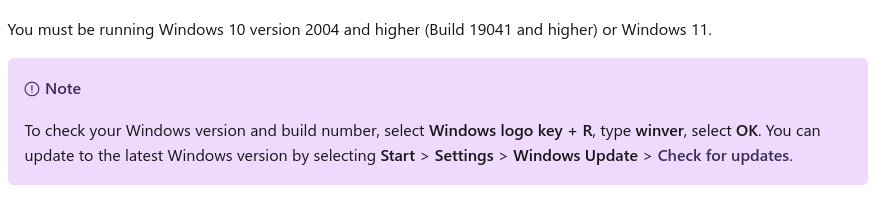
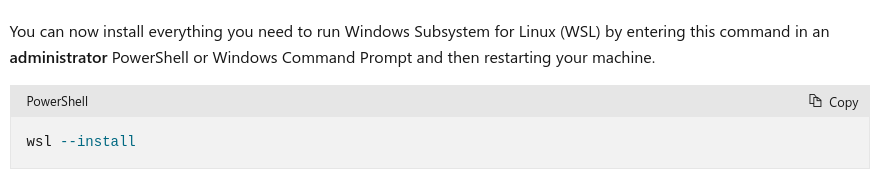
- 安装 WSL
- 从Windows Store安装 ubuntu(版本不小于 22.04)
Ubuntu 内安装容器工具包 sudo apt install crun podman buildah
镜像准备
# 解压镜像
sudo apt install -y bzip2
tar xf palm-alpine.tar.xz
# 导入镜像
podman load -i palm-alpine-TIMESTAMP.tar
# clone 代码 PLEASE CHANGE IT TO YOUR REPO
git clone -b agile https://github.com/iapt-platform/mint.git ~/workspace/iapt-platform/mint
git clone -b laravel https://github.com/iapt-platform/mint.git ~/workspace/iapt-platform/mint-laravel
# 启动镜像
cd ~/workspace
./iapt-platform/mint/docker/alpine/start.sh
部署
设置 client key
cd deploy
mkdir -p clients/CLIENT_ID/.ssh
cd clients/CLIENT_ID
# 创建 ssh key
ssh-keygen -t ed25519 -f .ssh/id_ed25519 -C "your_email@example.com"
上传
.ssh/id_ed25519.pub到服务器/tmp目录, 然后cat /tmp/id_ed25519.pub >> ~/.ssh/authorized_keys测试 ssh 连接
ssh -i .ssh/id_ed25519 deploy@HOST- Fix
Permissions xxxx for xxxx are too open
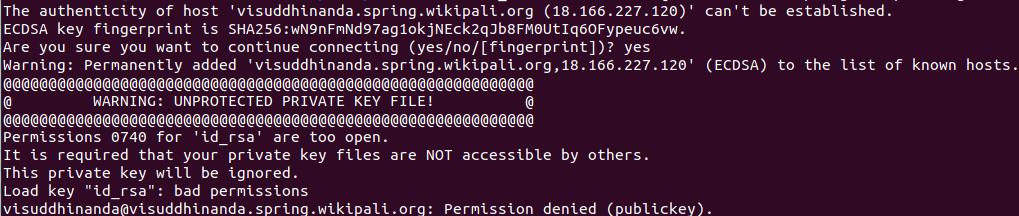
- Fix
复制
cp ../../staging/hosts ./并调整配置命令
cd deploy
# 测试服务器状态
peony -i clients/CLIENT_ID ping.yml
# 全量部署
peony -i clients/CLIENT_ID mint.yml -l GROUP
# 按组部署
peony -i clients/CLIENT_ID mint.yml -l GROUP
常用容器命令
# 清理
podman system reset
# 列出所有镜像
podman images
# 列出所有容器
podman ps -a